Building AI in a company is not only a software project. It is also a hardware choice, and the graphics processing unit (GPU) is the biggest part of it. This guide shows how to match the GPU to the job, in plain language. You do not need an engineering background to follow it.
Start with three questions
Before looking at any product, answer these. The answers narrow the choice quickly:
- What will you do? Training means teaching a model from data. Inference means using a trained model to answer questions or analyse images. Inference usually needs much less hardware.
- How big is the model? A model’s weights need about two bytes per parameter at standard 16-bit precision. A 70-billion-parameter model therefore needs about 140 GB of GPU memory, before extra space for users and long conversations.
- Where will it run? In a data center, in a branch office or at the “edge”, such as a factory floor or shop.
The main options, from small to large
| GPU or system | Memory | Power | Best for |
|---|---|---|---|
| NVIDIA L4 | 24 GB [1] | 72 W [1] | Edge AI, video, small models |
| NVIDIA L40S | 48 GB [2] | 350 W [2] | AI plus graphics in existing servers |
| RTX PRO 6000 Blackwell Server Edition | 96 GB [3] | Up to 600 W [3] | Business AI models, digital twins, rendering |
| NVIDIA H100 SXM | 80 GB [4] | Up to 700 W [4] | Training and large-model serving |
| HGX B200 / HGX B300 (8 GPUs) | 1.4 TB / 2.1 TB in total [5] | System level | Training and serving very large models |
What the differences mean
- Small and efficient. The L4 is a low-profile card that fits almost any server. NVIDIA rates it at up to 2.5 times the older T4 on generative AI [1].
- Flexible all-rounders. The L40S and RTX PRO 6000 Blackwell fit standard servers and handle both AI and graphics. The RTX PRO 6000 has twice the memory of the L40S and supports FP4, a compact 4-bit number format that speeds up AI [2][3].
- Built for training. The H100 and the HGX boards use very fast memory called HBM (High Bandwidth Memory). Their GPUs are joined by NVLink, NVIDIA’s high-speed GPU-to-GPU link. On Blackwell, NVLink gives each GPU 1.8 TB/s (terabytes per second) [5]. The L40S has no NVLink, so it suits jobs that fit on one GPU [2].
- Sharing. MIG (Multi-Instance GPU) splits one GPU into isolated smaller GPUs: up to seven on H100 [4] and up to four on RTX PRO 6000 Blackwell [3]. The L40S does not support MIG [2].
Do not forget power and cooling
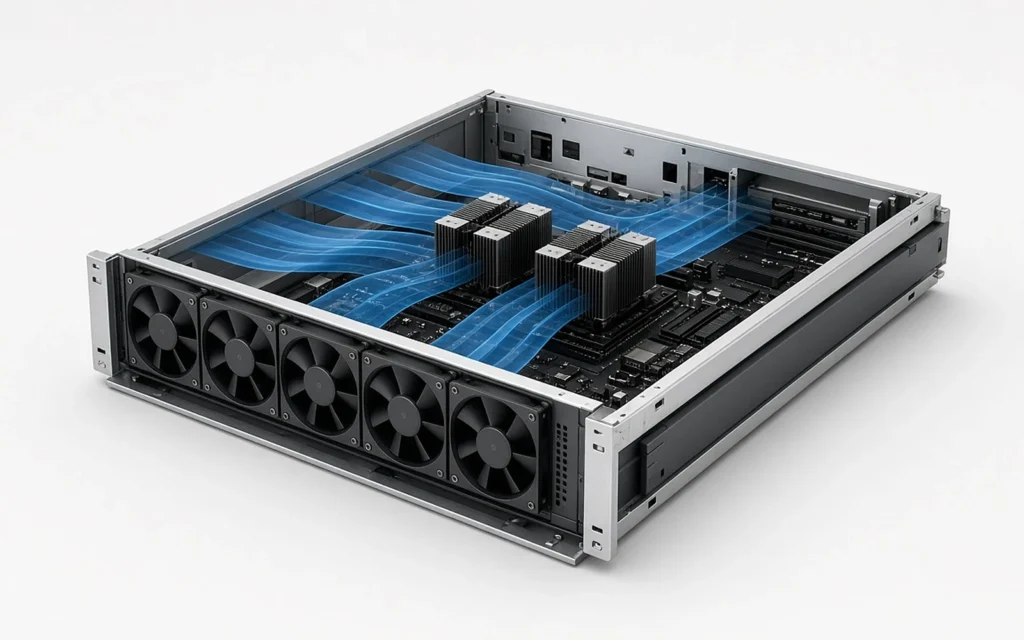
Bigger GPUs need more power and cooling. This is easy to overlook when comparing cards. A complete DGX B200 server with eight GPUs uses about 14.3 kW (kilowatts) at maximum [6]. Before you choose, check what each rack in your building can supply and cool.
Key takeaways
- Decide first between training and inference, and estimate model size.
- L4 suits the edge, L40S and RTX PRO 6000 suit flexible business AI, and H100 and HGX B200/B300 suit training.
- Fast links (NVLink) matter when one model spans several GPUs.
- Check power and cooling before you buy.
See our data center GPUs, the NVIDIA HGX platform and NVIDIA L40S, read why GPUs are essential for AI, or contact Q9 Technology for help choosing.
Sources:
- [1] NVIDIA, L4 Tensor Core GPU – https://www.nvidia.com/en-us/data-center/l4/
- [2] NVIDIA, L40S GPU – https://www.nvidia.com/en-us/data-center/l40s/
- [3] NVIDIA, RTX PRO 6000 Blackwell Server Edition – https://www.nvidia.com/en-us/data-center/rtx-pro-6000-blackwell-server-edition/
- [4] NVIDIA, H100 GPU – https://www.nvidia.com/en-us/data-center/h100/
- [5] NVIDIA, HGX Platform – https://www.nvidia.com/en-us/data-center/hgx/
- [6] NVIDIA, DGX B200 – https://www.nvidia.com/en-us/data-center/dgx-b200/